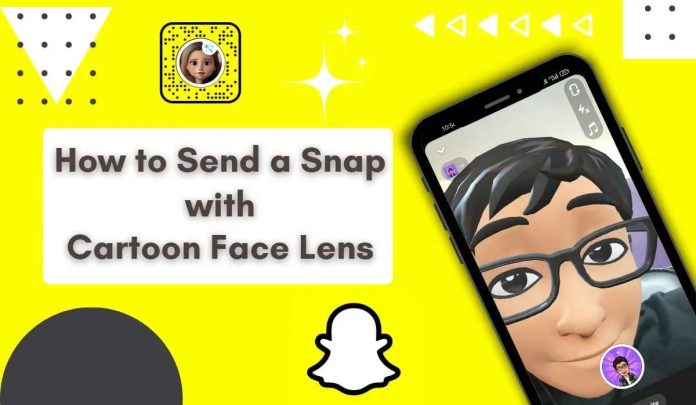
Send a snap with the cartoon face lens using snapchat – Snapchat is known for its fun and creative lenses, and one of the most popular ones is the Cartoon Face Lens. This lens transforms your face into an animated, expressive version of yourself, making your Snaps more entertaining.
Whether you want to try a cartoon face, capture a fun Snapchat cartoon face couple pic, or create a unique Snapchat cartoon filter DP, follow this guide to find and use the Cartoon Face Lens on Snapchat.
send a snap with the cartoon face lens using snapchat
Table of Contents
Why the Cartoon Face Lens Remains One of Snapchat’s Most Popular Filters
The Cartoon Face Lens continues to be one of Snapchat’s most loved augmented reality filters because it combines creativity, entertainment, and personalization in a way that appeals to users of all ages. Unlike standard filters that simply adjust colors or add visual effects, the Cartoon Face Lens completely transforms facial features into an animated character while still preserving recognizable expressions and movements. This creates a unique experience that feels both familiar and exciting.
Many Snapchat users enjoy sharing cartoon-style selfies with friends, family members, and followers because the effect adds a playful and lighthearted touch to everyday photos and videos. Whether you’re celebrating a special occasion, creating content for social media, or simply having fun during a conversation, the Cartoon Face Lens offers countless opportunities for creative expression.
The popularity of cartoon-style filters has also grown because animated content performs well across social media platforms. Users frequently save their cartoon selfies and use them as profile pictures, story posts, or creative content for other social networks. If you’re interested in understanding more Snapchat features and activity indicators, you may also want to learn what the green dot means on Snapchat, which helps explain when users are active on the platform.
For more details, see this guide to what the green dot means on Snapchat and how Snapchat uses activity indicators.
Step 1: Open Snapchat and Find the Cartoon Face Lens
- Open the Snapchat app on your phone.
- Switch to the front-facing camera or use the rear camera for someone else.
- Tap on the smiley face icon next to the camera button to open the Lens Explorer.
- Use the search bar to type “Cartoon Face” and select the lens from the results.
If you’re looking for specific effects, you can try variations like Cartoon 3D Style or Snapchat Cartoon Filter Couple Pic.
Step 2: Apply the Cartoon Face Lens
- Once the lens is selected, it will automatically detect your face and apply the cartoon effect.
- Experiment with different facial expressions—this lens animates and enhances your reactions.
- If using the rear camera, make sure a face is in view for the filter to apply.
Tip: Try different lighting conditions to make your emoji Snapchat cartoon filter couple pic more vibrant!
Step 3: Capture and Send Your Snap
- Tap the camera button to take a photo or hold it for a video.
- Add stickers, text, or other filters to make your Snap more engaging.
- Tap the send button (arrow icon) and choose your friends to share your cartoon creation.
For extra creativity, save your Snap to your camera roll and use it as your Snapchat cartoon filter DP.
Step 4: Use the Cartoon Face Lens in Video Calls
Did you know you can use the Cartoon Face Lens during Snapchat video calls?
- Start a video call with a friend.
- Tap the smiley face icon and browse for the Cartoon Face Lens.
- Enjoy a fun animated chat with your new cartoon look!
This is a great way to create a Snapchat Cartoon Filter Couple Pic in real-time.
Snapchat Features That Work Well with Cartoon Face Filters
The Cartoon Face Lens becomes even more powerful when combined with other Snapchat features.
Creative social content extends beyond Snapchat, with platforms such as Twitch also giving creators ways to combine visual content with audio and entertainment, including playing music on Twitch.
H3: Add Emojis and Stickers
If you also use Facebook to share your creative content, you may find Dark Mode on Facebook useful for making the platform more comfortable to browse in darker environments.
After capturing your Snap, you can enhance it with stickers, emojis, GIFs, and text overlays. These additions help personalize your content and create a more entertaining viewing experience.
Interactive entertainment can also be a fun way to engage online, and platforms such as MyQuiz.com offer another type of digital activity.
H3: Use Snapchat Memories
Saving your cartoon photos and videos to Memories allows you to revisit and share them later.
When you’re finished creating Snaps, you can explore other forms of digital entertainment too, including Cinego and Cinego TV for movies and streaming content.
This is especially useful if you create seasonal content, holiday-themed selfies, or memorable moments with friends.
H3: Share with Private Groups
Some users prefer sharing their funniest cartoon snaps only with close friends. Snapchat’s private story and group features make it easy to share content with selected audiences.
For users who also participate in Facebook discussions, learning how to post anonymously on Facebook can provide additional insight into managing privacy when sharing online.
Similarly, social media users often value privacy when sharing content online. If you’re active on Facebook communities, you may also be interested in learning how to post anonymously on Facebook to participate in discussions while maintaining privacy.
More Fun Variations
Looking for more ways to use the Cartoon Face Lens? Try these ideas:
- Cartoon Face – A classic animated version of yourself.
- Snapchat Cartoon Face Couple Pic – Take a romantic or funny cartoon-style selfie with your partner.
- Emoji Snapchat Cartoon Filter Couple Pic – Add emojis to enhance the fun.
- Snapchat Cartoon Filter DP – Create an eye-catching display picture with the cartoon filter.
- Snapchat Cartoon Filter Couple Pic – Snap a playful moment with a loved one using the filter.
Final Thoughts
The Cartoon Face Lens is a fantastic way to make your Snaps more engaging and fun. Whether you’re creating a cartoon face selfie, a Snapchat cartoon filter DP, or a Snapchat cartoon face couple pic, this lens is sure to add creativity to your posts.
Try it today and see yourself in a whole new animated way!